

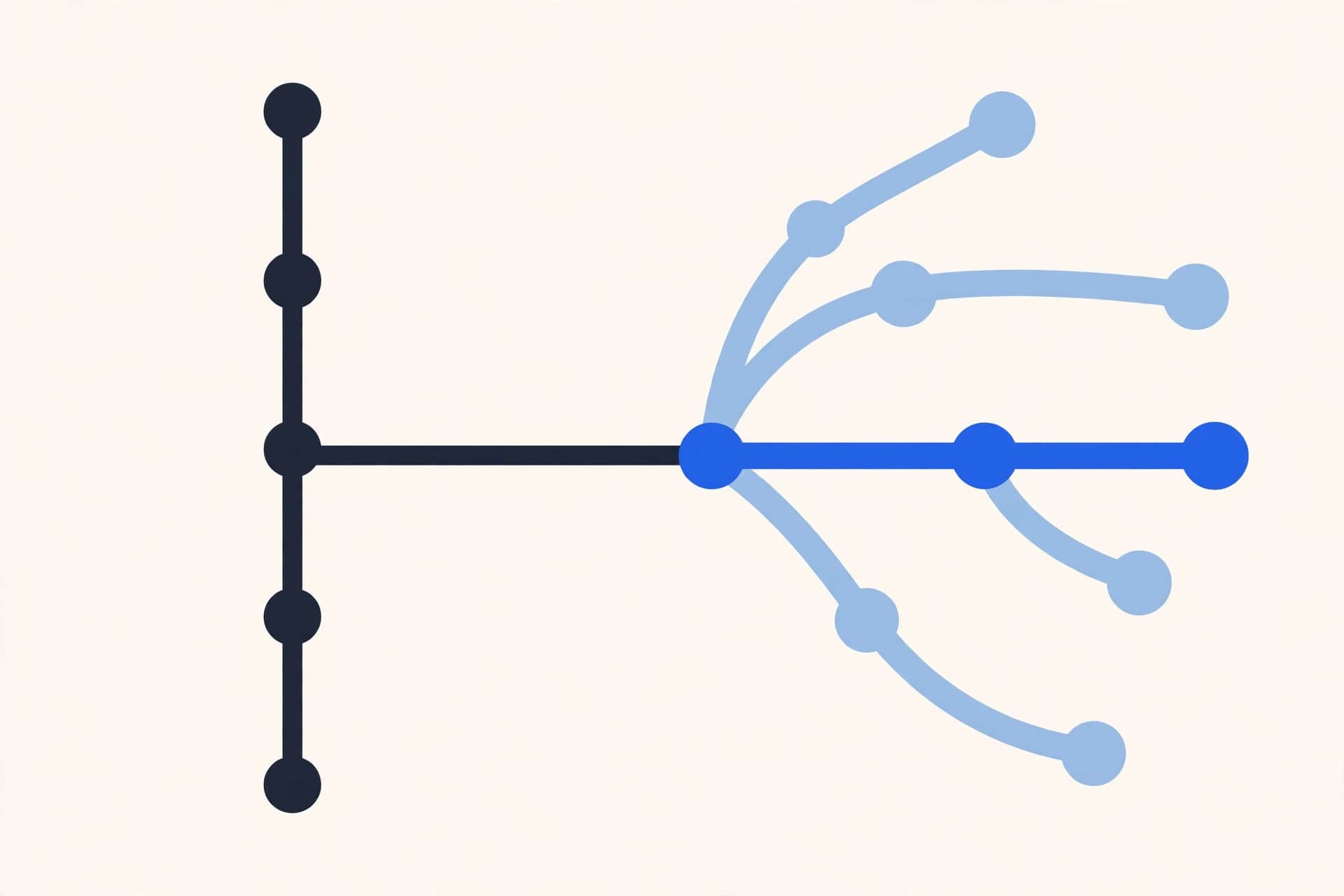
Every week, a new tool promises an “AI agent” that will run your business for you. It is an exciting demo — and a confusing buying decision. Should you build a simple workflow, add one AI step to it, or hand the whole job to an agent?
For most small businesses, the honest answer is less dramatic than the demo: start with a workflow. Add AI where a step needs judgement. Reach for a full agent only when the path genuinely cannot be written down in advance, and only with guardrails around it.
This guide gives you the difference in plain language, a decision rule you can use in five minutes, examples from ordinary small-business work, and the safety checks to put in place before any agent touches a customer, a record, or money.
For the bigger picture, see 25 AI Automation Examples for Businesses in 2026. For the simplest automation starting point, see How to Automate Email + Spreadsheet Work with Zapier, Step by Step for Beginners. For a longer workflow, see How to Build Your First AI Workflow in n8n, Step by Step.
The Difference in One Sentence
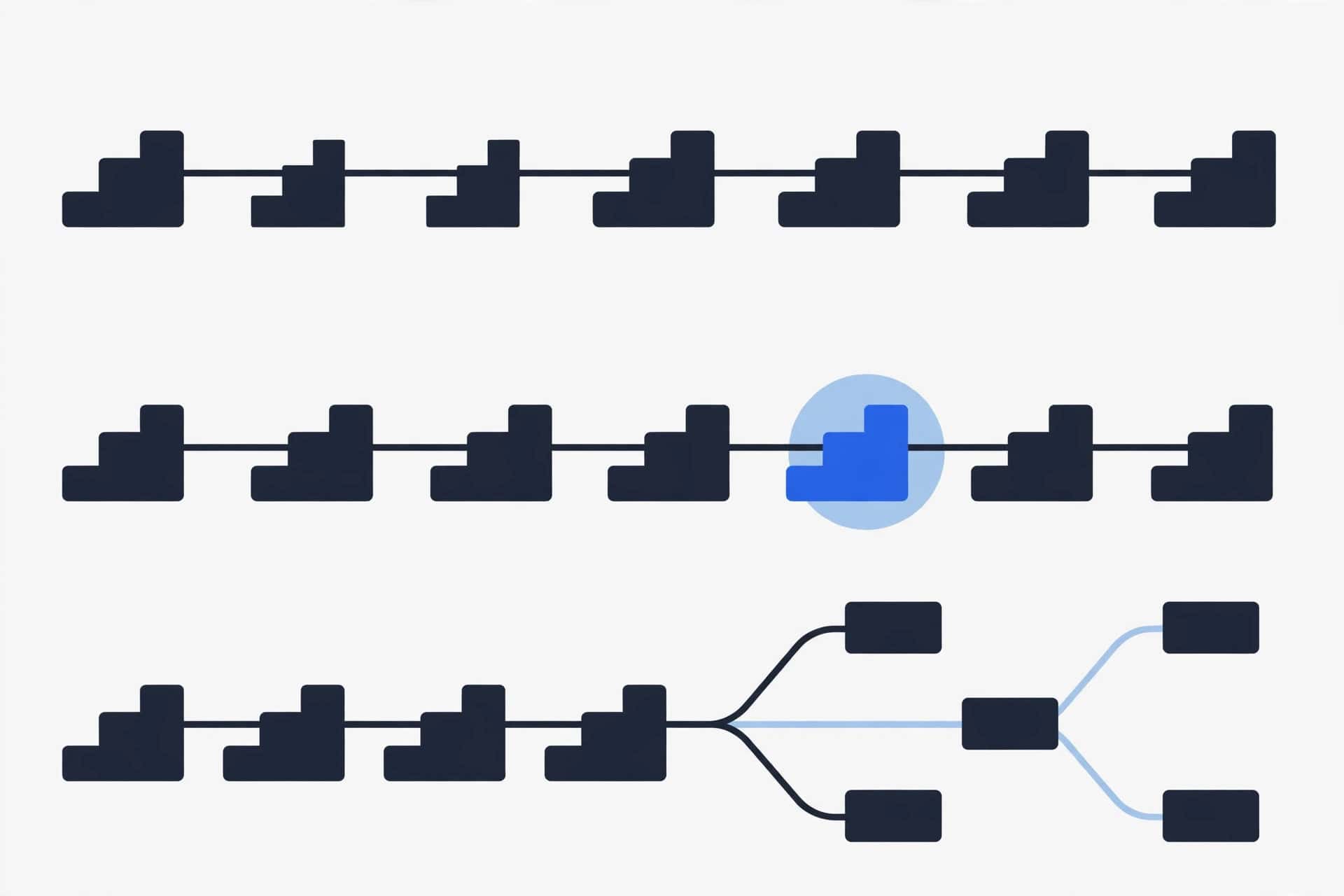
A workflow follows steps you wrote in advance. An agent chooses its own steps while it works.
That single difference explains almost everything else: cost, reliability, testing, and risk. If you can draw the process as a flowchart before it runs, you have a workflow job. If the right next step depends on what the system finds along the way, and you cannot list those steps in advance, you may have an agent job.
What an AI Workflow Is
An AI workflow is a fixed sequence of steps, triggered by an event, a schedule, or a manual start. You decide the trigger, the order, the branches, and what happens when something goes wrong. AI may appear inside one or two steps — for example, to read a messy email, sort a request into a category, or draft a reply — but the workflow, not the AI, decides where the output goes and who must approve it.
A familiar example is the lead follow-up chain in Automate Lead Follow-Up: From Form to CRM to Email, Without Losing Leads: a form is submitted, the lead is saved in the CRM, and a follow-up email goes out. The steps are the same every time. That is a workflow, even if an AI step writes the first draft of the email.
Other everyday workflow jobs:
- A new order creates an invoice, and a reminder goes out on the due date.
- A weekly report is built from the same spreadsheet columns, in the same format, every week.
- A support request is sorted by topic and routed to the right person.
Workflows are predictable. You can test them end to end, count how often each step fails, and read a log that shows exactly what happened, in order. When a workflow breaks, you can usually point to the step that broke.
What an AI Agent Is
An AI agent is given a goal, not a fixed sequence. It decides which tools to use, in which order, and when it has gathered enough to stop — looping back, trying another approach, or asking a follow-up question when the first attempt does not work.
A realistic small-business example: “Find out why this customer’s order is delayed.” An agent might check the order record, then the delivery record, then recent messages, and then draft a summary. The steps differ from one case to the next, because the evidence differs. That variability is the point — and the risk.
Agents are useful precisely where a fixed path would be brittle: open-ended research, gathering facts scattered across several places, or handling requests that arrive in free-form language and do not fit one template. But that flexibility has a price. An agent typically makes more model calls than a fixed workflow, takes longer, and can take a different path on the second run of the same task. Testing it means testing many possible paths, not one.
The Option Most Beginners Actually Need: A Workflow with One AI Step
Here is the distinction most comparison articles rush past, and the one that matters most for a beginner: using AI inside a workflow does not make it an agent.
If your process is fixed but one step is messy, keep the workflow and put AI in that step only. That middle option — a bounded workflow with one AI step — is what most small businesses should build first. It gives you the judgement of AI where it helps, and the predictability of a workflow everywhere else.
Three examples of the middle option:
- A fixed support workflow with one AI step: every new message is sorted by topic by AI, then routed by your rules to the right person. The AI classifies; your workflow decides what happens next.
- A fixed weekly report with one AI step: the numbers come from the same sheet every week, and AI drafts the summary — which a human checks before it goes out, exactly as in How to Create Weekly Reports with ChatGPT and Google Sheets, Step by Step.
- A fixed lead workflow with one AI step: the form, the CRM entry, and the follow-up email follow the same steps every time, and AI only drafts the first version of the reply.
In each case, if the AI step produces something wrong, the damage is contained: the workflow still logs it, a human still reviews it, and the next step does not happen automatically. That containment is the whole advantage.
AI Agent vs AI Workflow at a Glance
| AI workflow | Workflow with one AI step | Full AI agent | |
|---|---|---|---|
| Who decides the steps? | You, in advance | You, in advance; AI handles one step | The agent, as it works |
| Best when | Steps are known and repeatable | Steps are known, one step is messy | The path cannot be listed in advance |
| Predictability | High | High, with one step to check | Lower — paths vary between runs |
| Testing | Test the one path, end to end | Test the path, plus the AI step on past cases | Test many paths and many cases |
| Cost and speed | Usually lowest | Slightly higher than a plain workflow | Usually highest, and harder to predict |
| When it goes wrong | You can point to the step | You can point to the step, or to the AI step | You may need to reconstruct the path from logs |
| Human review | Easy to place at a fixed checkpoint | Easy — review the AI step’s output | Must be designed in, or the agent acts unchecked |
The Five-Minute Decision Rule
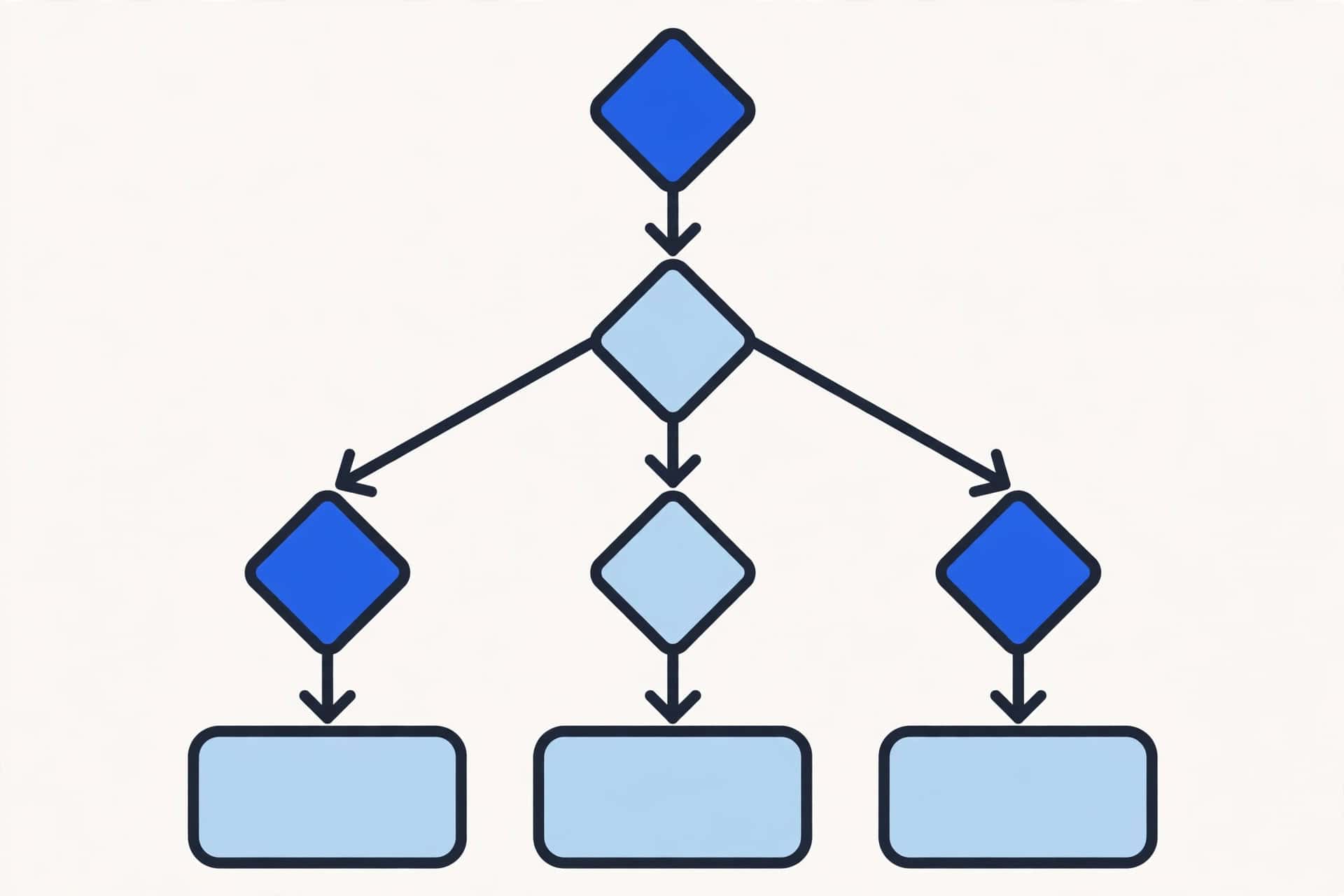
Before you choose a tool or write a prompt, answer these five questions about the job. Write the answers down — they are your decision record, and they will save you from rebuilding later.
1. Can you list the steps in advance?
Write the steps on paper, in order, including what happens when something goes wrong. If you can, and the steps stay mostly the same each time, build a workflow. If you genuinely cannot — because the next step depends on what the previous step found — an agent is worth considering.
Be honest here. “It would be nice if the system figured it out” is not the same as “the steps cannot be listed.” Most business processes can be listed, once someone sits down and writes them.
2. Is the input messy, or is the path messy?
These are different problems, and they have different fixes.
- Messy input, fixed path: an email written in free text, a photo of a receipt, a request phrased five different ways. The steps after it are the same every time. Fix: a workflow with one AI step that reads, extracts, or classifies the input.
- Messy path, variable steps: research that may need two sources or ten, a problem whose cause is unknown, a request that needs follow-up questions before anyone knows what to do. Fix: a bounded agent, with the guardrails in the next section.
If only the input is messy, you do not need an agent. You need one AI step.
3. What happens if it makes a mistake?
Sort the job by the cost of an error, not by how impressive the demo looked:
- Low cost, easy to undo: a draft summary, a sorted list, a research note for a human to read. An agent can be tried here, with review.
- High cost, hard to undo: sending a message to a customer, changing a record, issuing a refund, moving money, publishing content. Do not let an agent do this unchecked. A workflow with a fixed approval step, or a human, should own it.
This is why the invoice workflow in Automate Invoice and Payment Reminders for a Small Business stays a workflow: money and customer relationships are involved, and a mistake there is hard to undo. An agent that “helpfully” chases a disputed invoice would be worse than no automation at all.
4. Can a human review the result before it acts?
If yes, and the review is real — someone actually reads the output before it goes out — an agent becomes much safer. If no, because the system is supposed to run overnight or at a volume no human can check, keep the system fixed and predictable. Autonomy without review is where agents cause the most damage.
5. Is the extra cost and complexity worth it?
An agent usually costs more to run and takes longer than a fixed workflow, because it makes more calls and may loop. Before building one, name the benefit in plain terms: what does the agent do that the workflow cannot? If the answer is “the same job, but more automatically,” the workflow wins. If the answer names a specific variable job — “each research task needs different sources” — the agent may earn its place.
The decision rule, in one line: build the most constrained system that solves the problem — a workflow first, one AI step second, a bounded agent only when the first two genuinely cannot do the job.
Small-Business Examples: Which Fits Which Job
Use a workflow: invoice reminders, lead follow-up, weekly reports
These jobs have the same steps every time, a clear trigger, and a clear end. The value is in doing them on time, every time, without forgetting. A workflow does that cheaply and reliably, and its log shows exactly what happened. See the lead follow-up and invoice examples linked above.
Use a workflow with one AI step: sorting support messages, drafting replies, summarising notes
The process is fixed — a message arrives, it is sorted, someone replies — but the input is written in free language. AI reads and sorts or drafts; your rules route and approve. The human still sends the reply, or at least reviews it. This is the most useful pattern for most beginners, and the one to master before anything more ambitious.
Use a bounded agent, with review: researching a problem, gathering scattered facts
A customer asks why an order is late, or a supplier’s delivery pattern needs checking across several records. The steps cannot be listed in advance, because they depend on what each record shows. An agent can gather the facts and draft a summary — and a human reads it before anything is sent or changed. The agent’s job is investigation, not action.
Do not hand to an agent alone: refunds, payments, publishing, legal or safety decisions
Even if the task looks open-ended, some actions should never be taken by an agent without a human decision: approving a refund, moving money, sending a final message to an unhappy customer, publishing content under your name, or anything with legal or safety consequences. The agent may prepare the case. A human decides.
Risks and Limits, Honestly Stated
Agents fail in ways workflows usually do not, and you should know them before you build one:
- Unpredictable paths. The same request can take a different route on a second run, which makes testing and debugging harder.
- Loops and runaway cost. An agent that cannot find what it needs may keep trying. Without a cap on steps or calls, a small job can become an expensive one.
- Confident errors. An agent can produce a fluent, confident answer from the wrong record, or fill a gap with a guess. Fluency is not accuracy.
- Too much access. An agent given broad tool permissions can change things you never intended it to touch. Permissions are the risk, not just the prompt.
- Weak logs. If you cannot reconstruct what the agent did, in order, you cannot fix it, explain it to a customer, or trust it again.
None of this means agents are useless. It means they need the guardrails below, and they need them before they go live, not after the first incident.
Guardrails: The Rules Before Any Agent Goes Live
Treat these as non-negotiable for any agent that touches real data, customers, or records. If a tool cannot support a guardrail, that is a reason to choose a different tool — or to stay with a workflow.
- Narrow permissions. Give the agent only the tools and records it needs for this one job. Read-only access where reading is enough. No access to money, publishing, or bulk changes unless a human approves each one.
- A cap on steps and calls. Set a maximum number of steps the agent may take and a stopping rule. When it hits the cap, it stops and reports what it found, rather than looping.
- Approval before consequential actions. Any message to a customer, change to a record, payment, or publication waits for a human approval step. The agent prepares; the human decides.
- A full log. Record the goal, each tool used, each result, and the final output, in order. If you cannot read the log and explain the run to someone else, the agent is not ready.
- Shadow mode first. Run the agent alongside your team on past or live cases, but let it take no real actions. Compare its output with what your team actually did. Only go live on a small share of cases after shadow mode looks good.
- One owner and a weekly check. Name one person who owns the agent, reviews its log weekly, and can switch it off. An agent with no owner is an agent nobody is watching.
- A kill switch. Know, in advance, how to stop the agent immediately, and test that you can. “We would ask the vendor” is not a kill switch.
How to Start Small: A Four-Week Plan
Do not start with an agent. Start with the workflow version, and let evidence — not enthusiasm — decide whether an agent is ever needed.
- Week 1 — Write the process down. Pick one job. List its steps, its trigger, its exceptions, and who owns it. If you cannot write it, fix the process before automating it.
- Week 2 — Build the plain workflow. Automate the fixed steps. Test it end to end on past cases, including one case that goes wrong.
- Week 3 — Add one AI step, if one step is messy. Put AI only where the input needs reading, sorting, or drafting. Keep a human review on that step’s output. Test the AI step on past cases and compare its output with what your team did.
- Week 4 — Run in shadow mode, then decide. If the workflow handles the job, stop — you are done, and you have saved yourself an agent. If one specific step genuinely cannot be scripted, and only then, test a bounded agent for that step alone, with the guardrails above, in shadow mode first.
If, after four weeks, the workflow does the job, that is a success, not a missed opportunity. The goal was never to own an agent. The goal was to save time without creating new risk.
Decision Checklist
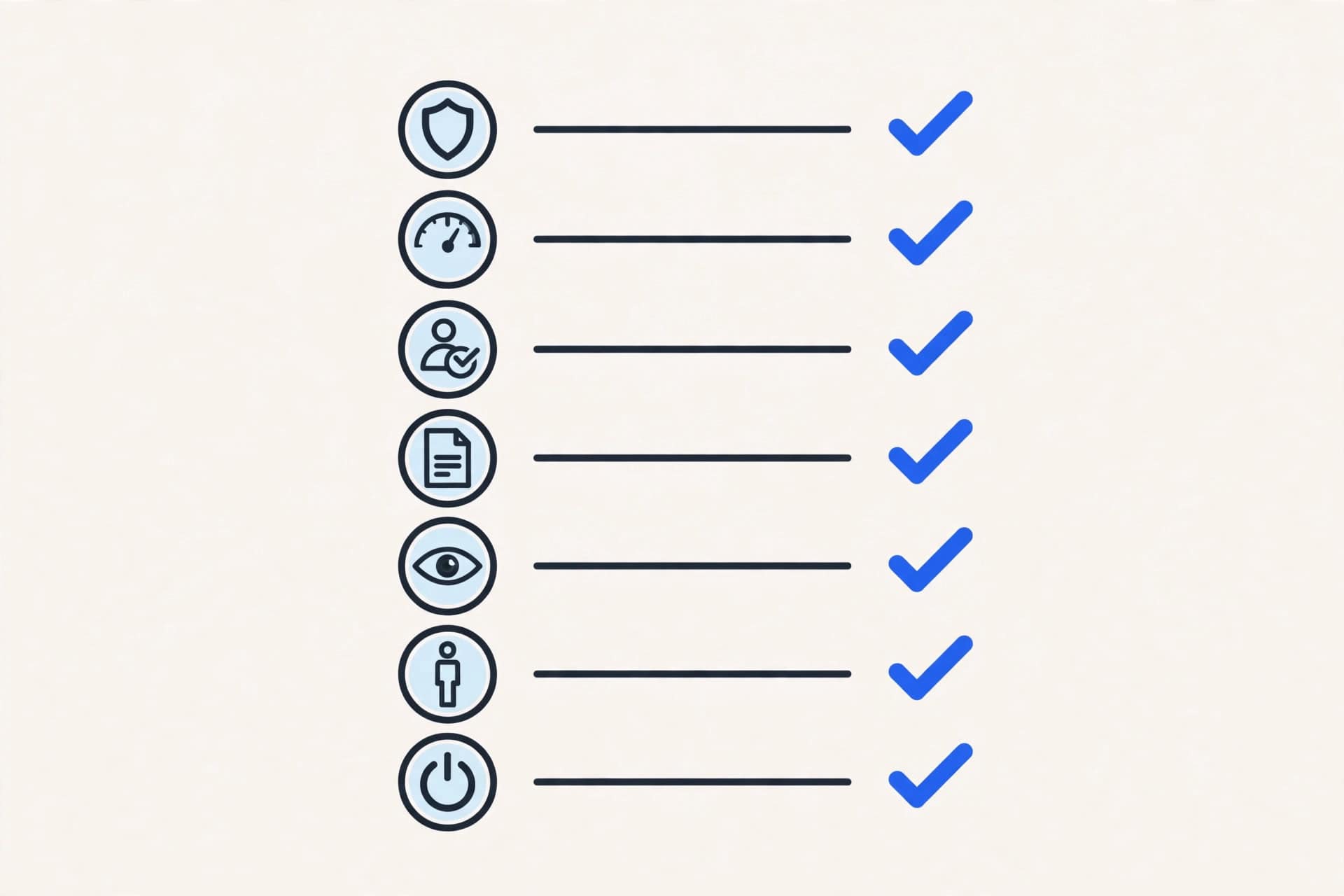
Use this checklist before choosing, and again before going live:
- [ ] The steps are written down, in order, including what happens when something goes wrong.
- [ ] You can say whether the input is messy, the path is messy, or both — and you have chosen the matching option.
- [ ] The cost of a mistake is named, and anything hard to undo has a human approval step.
- [ ] A human reviews the output before any customer message, record change, payment, or publication.
- [ ] The agent, if any, has narrow permissions, a step cap, a full log, and a kill switch.
- [ ] The system ran in shadow mode on real past cases before taking any real action.
- [ ] One named person owns the system and reviews its log weekly.
- [ ] You know what “good” looks like — time saved, errors caught, cases handled — and you will measure it, not just feel it.
If you cannot tick the approval, log, and owner boxes, do not go live with an agent. Build the workflow version instead.
Common Mistakes
Starting with an agent because it sounds more advanced
An agent is not an upgrade on a workflow. It is a different tool for a different kind of job. Building one for a fixed process buys cost, unpredictability, and debugging pain for no benefit.
Calling a workflow with one AI step an agent
Labels mislead buying decisions. If you designed the path, it is a workflow with an AI step — and that is usually the right answer. Calling it an agent invites the wrong expectations about what it can decide on its own.
Automating a broken process
If the manual process is unclear, inconsistent, or owned by nobody, automation will reproduce that confusion faster. Write the process, name the owner, and fix the exceptions first.
Giving an agent broad permissions “to be safe”
Broad permissions are the opposite of safe. An agent should have the smallest access that lets it do this one job, and nothing else.
Skipping human review on irreversible actions
A demo where everything works is not evidence. Review the output before it reaches a customer, changes a record, or moves money — every time, until shadow mode and live results have earned a narrower review, and never for money or publishing without a human.
Judging an agent by its demo, not by past cases
Test on your own past cases, including awkward ones: missing records, contradictory information, and a case that should stop and ask a human. A system that only works on clean examples will fail on real work.
Leaving an agent unwatched after launch
Models, tools, and data change. A weekly log review by a named owner is part of the system, not optional maintenance.
Frequently Asked Questions
Is an AI workflow the same as an AI agent?
No. In a workflow, you define the path and AI works inside the steps you chose. In an agent, the model chooses the path itself, deciding which tools to use and when to stop. The two are often combined — a workflow can contain an agent for one bounded step — but they are not the same thing.
Are AI agents better than AI workflows?
Neither is better in general. Workflows are more predictable, cheaper to run, and easier to test and audit. Agents handle open-ended work that cannot be scripted, but they are less predictable and usually cost more. The strongest systems often use both: a workflow for the fixed process, an agent only where judgement cannot be scripted.
Do I need coding to build either one?
Not necessarily. Many workflow tools let you build fixed processes without code, and many agent tools offer guided setup. The hard part is not the building — it is writing the process down, setting permissions and approval steps, and testing on real cases. Those are business decisions, not coding problems, and they matter more than the tool you pick.
Can an agent replace my team?
No — and that is the wrong goal. An agent can gather facts, draft, and sort, but judgement about customers, money, and exceptions stays with people. The realistic goal is narrower: remove the repetitive gathering and drafting work, so your team spends its time on decisions and relationships.
What if my task is partly fixed and partly open-ended?
That is the most common case, and it has a good answer: build a workflow for the fixed parts, and put a bounded agent — or a single AI step — only in the open-ended part, with human review before anything consequential happens. Do not make the whole system an agent just because one step is variable.
How do I know if an agent is worth the extra cost?
Name the specific job the workflow cannot do, run both options on the same past cases in shadow mode, and compare time saved, errors, and cost per case — including the human review time. If the agent does not clearly beat the workflow on that comparison, keep the workflow.
Should a small business start with an agent?
Usually not. Start with a workflow, add one AI step where the input is messy, and add a bounded agent only when a specific step proves it cannot be scripted. Most small businesses will find the workflow, or the workflow with one AI step, already solves the job.
Conclusion
Before you buy or build anything, run through the decision once more: can you list the steps? If yes, build a workflow. Is only one step messy? Add one AI step to that workflow. Is the path itself unknowable in advance, and can a human review the result? Only then consider a bounded agent — with narrow permissions, a step cap, a full log, an approval step, and a named owner.
That is the whole method: the most constrained system that solves the problem, tested on real cases, watched by a named human. For the bigger picture, return to 25 AI Automation Examples for Businesses in 2026.

Flowmez publishes practical AI workflow guides, tested steps and honest tool reviews to help small businesses save time.
2 thoughts on “AI Agent vs AI Workflow: When to Use Which (Beginner Guide for Small Businesses)”
Comments are closed.