

A lead is a person who has already raised their hand. They filled in your form, asked a question, or requested a quote. Then nothing happens for two days, the message sits in an inbox, and by the time someone replies, they have already contacted a competitor.
This guide fixes that one failure. You will build a single workflow that takes a form submission, saves it in a CRM, sends an instant acknowledgement, alerts the right person in your business, and keeps a clear follow-up list. The rule behind it is simple: one workflow, one owner, one fallback check.
See 25 AI Automation Examples for Businesses in 2026 for the bigger picture, How to Automate Email + Spreadsheet Work with Zapier, Step by Step for Beginners for the simplest start, and How to Build Your First AI Workflow in n8n, Step by Step for the longer version.
What This Workflow Does, in Plain Language
A CRM is a contact record system: one place where each lead has a name, contact details, status, and notes, instead of scattered emails and spreadsheets. Here the CRM is the single source of truth. The form collects, the CRM remembers, and email communicates.
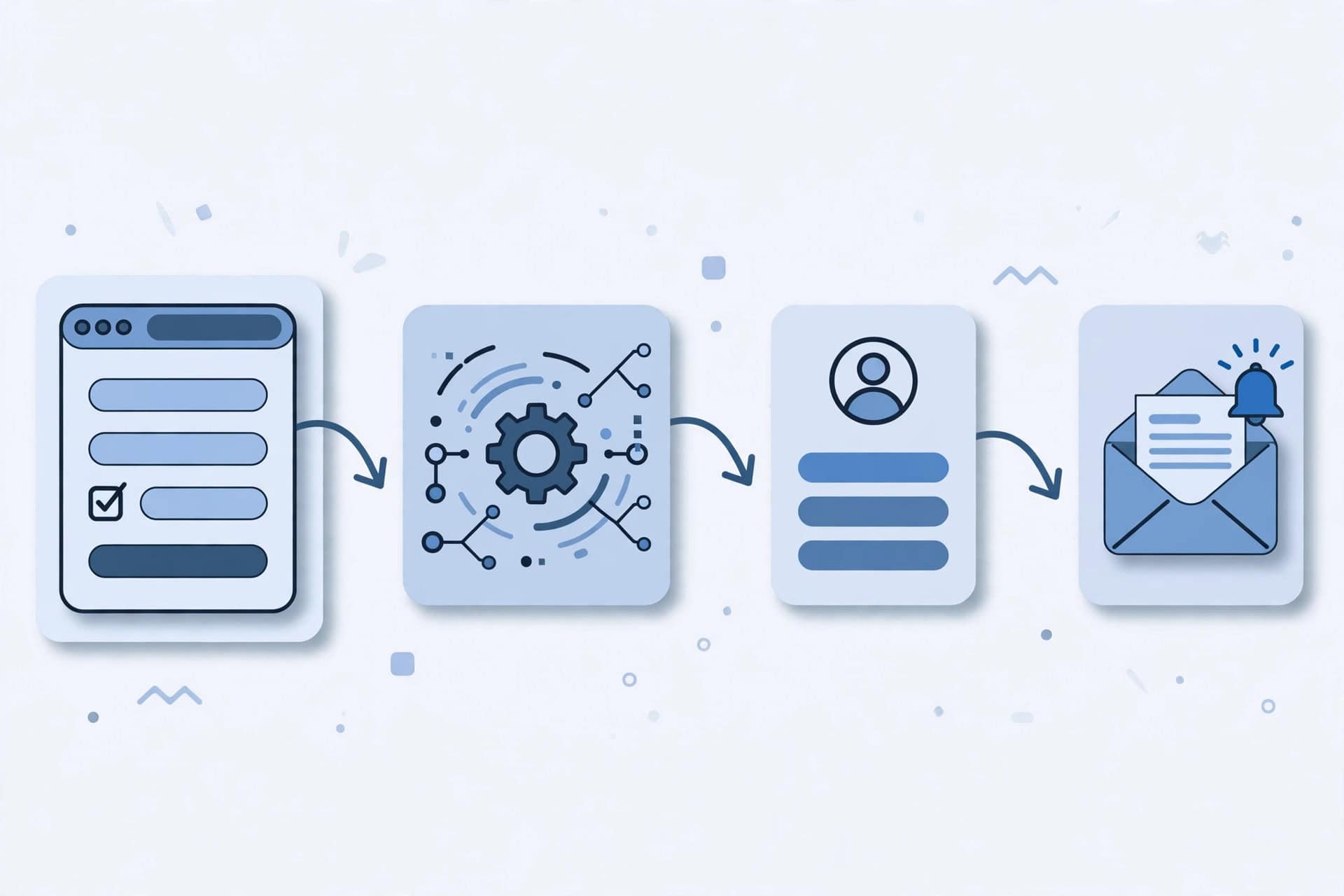
The chain is:
- A visitor submits your form.
- The workflow creates or updates that person in your CRM.
- The visitor gets an instant acknowledgement email.
- The lead owner gets an internal alert.
- The lead stays on a follow-up list until a human replies, or a stop rule is reached.
- A manual check catches anything the automation missed.
Before You Build: Choose One Form, One CRM, One Owner
Do not connect three forms, two CRMs, and a shared inbox at once. That is how leads get duplicated and lost. Decide these four things first:
- One form: the main enquiry or quote form on your website.
- One CRM: the tool where leads will live from now on, even if it is a simple CRM you already use.
- One owner: one named person responsible for new leads. A shared inbox with no owner is not an owner.
- One follow-up target: how quickly you aim to send the first human reply. Choose a target you can actually keep, for example within one business day, and write it down.
Step 1: The Form — Ask Only for What You Will Use
Every extra field costs you leads. People abandon long forms, and fields you never read are just clutter in the CRM. Ask for these as a starting set: name, email address, what they need in one short message field, and phone number only if you actually call leads back. Add where they found you, or a preferred contact method, only if you will use them.
For spam, use whatever protection your form tool already offers, such as a hidden honeypot field or a simple challenge. For empty or test submissions, make name, email, and message required, and use email validation if available. If a submission still arrives blank or fake, save it in the CRM marked as unqualified, rather than deleting it silently, so you can review it weekly.
Step 2: The CRM Step — Create or Update, Never Duplicate Blindly
This is the step most beginners get wrong. If every submission creates a brand-new contact, one person who submits twice becomes several people, and follow-up becomes a mess. Set the CRM step up like this:
- Match the submission to an existing contact by email address first. Email is the most reliable match for a small business.
- If no contact matches, create a new one with the name, email, phone if given, message, source, and date.
- If a contact does match, update it instead of creating a duplicate: add the new message and date, and keep the older notes. Do not overwrite a phone number or name with a blank field from a new submission.
- Set the lead status to something clear, such as “New lead”, and assign it to the owner you chose earlier.
- Add a short note with the original message, so the owner does not have to hunt through emails to understand what the person asked.
If your CRM offers a duplicate warning or merge option, turn it on. Test the rule before going live: submit twice with the same email and check you get one updated contact, not two.
Step 3: The Instant Acknowledgement Email — What It Must and Must Not Promise
The acknowledgement has one job: prove the message arrived, and tell the person what happens next. It is not a sales pitch, and it is not a quote. It must include a thank-you, what you received in one line, when they can expect a human reply using the target you chose, and a reply address that a human actually monitors.
It must not promise a price, discount, delivery date, or appointment you have not confirmed; a reply “within minutes” if your real target is the next business day; or that a human has already read the message, if only the automation has. A short example you can adapt:
Thanks for your enquiry. We have received your message and will reply personally by the end of the next business day. If your request is urgent, please reply to this email.
Keep the subject short, such as “Thanks — we received your enquiry”, and send it from your business address, not a no-reply address.
Step 4: The Internal Alert — Who Gets Told, and by When
An acknowledgement to the visitor is useless if nobody inside the business knows the lead arrived. Send the alert to the lead owner, by email or your team’s usual messaging channel, and include only what the owner needs to act: the lead’s name and email address, the message or its first lines, a link to the CRM record, and the follow-up target.
Do not alert the whole team for every lead. If everyone is alerted, nobody feels responsible. With more than one owner, assign leads by a simple written rule, such as one owner for all website enquiries, or rotation by day. The alert should arrive at the same time as the acknowledgement. If the owner is away, the safety-net check in Step 6 catches the lead, not a second alert to everyone.
Step 5: The Follow-Up Sequence — First Reply, Second Nudge, Stop Rule
Automation can remind you to follow up. It should not chase a person forever. Agree the sequence before you switch the workflow on:
- First human reply: as soon as possible, and no later than the target you set. This reply is written by a human, not generated by the workflow. It answers the actual question, or asks the one clarifying question you need.
- Second nudge: if there is no reply, send one short, polite follow-up after a few days. Restate the question, offer a simple next step, and make replying easy.
- Stop rule: after the second nudge with no reply, stop automated follow-up. Move the lead to a “closed, no reply” status in the CRM, and leave any further contact to a human decision.
The stop rule matters as much as the first reply. Without it, a workflow keeps emailing people who have lost interest, and your business looks like spam. Never add a lead to a marketing newsletter just because they filled in an enquiry form, unless they clearly agreed to that separately. Record every follow-up in the CRM, so the next person who picks up the lead can see the whole conversation.
Step 6: The Manual Safety Net — The Check That Stops Silent Failures
Automation fails quietly. A connection expires, a form changes, a CRM field is renamed, and leads stop arriving without any warning. The safety net is a human check, on a schedule, that catches those failures.
Daily check, five minutes: open the CRM list of “New lead” records with no human reply yet. Anything older than your follow-up target gets a reply today, or is assigned to someone who can reply today.
Weekly check, fifteen minutes: review the workflow’s run history for failures, check for duplicates, delete unqualified or spam records, and confirm test submissions are not mixed into real leads.
Monthly check: look at “closed, no reply” leads and ask: did we reply too slowly, or were these never a good fit? Use the answer to fix the target or the form. Put the daily check in one person’s calendar, not in a shared note nobody owns.
Step 7: Testing — Submit a Test Lead End to End Before Going Live
Do not switch this workflow on for real visitors until you have watched one test lead travel the whole chain:
- Submit your own form with test details, using an email address you control.
- Check the CRM: one new contact, with the right name, email, message, status, and owner, and no duplicate.
- Check your inbox: the acknowledgement email arrived, with the right wording and a monitored reply address.
- Check the internal alert: the owner received it, with the CRM link and the follow-up target.
- Submit again with the same email address: the CRM should update the same contact, not create a second one.
- Only then switch the workflow on for real visitors, and watch the first real lead the same way.
If any step fails, fix it and test again before going live.
Testing Checklist
Use this checklist every time you change the form, CRM, or workflow:
- [ ] The form asks only for fields you will use, and name, email, and message are required.
- [ ] A test submission creates exactly one CRM contact, with the right status and owner.
- [ ] A second submission with the same email updates that contact instead of duplicating it.
- [ ] The acknowledgement email arrives promptly, promises only what you can keep, and has a monitored reply address.
- [ ] The internal alert reaches the lead owner, with the message and a CRM link.
- [ ] The follow-up sequence and stop rule are written down and visible in the CRM.
- [ ] The daily “uncontacted leads” check and the weekly failure review have a named owner.
- [ ] One full end-to-end test lead worked before the workflow went live.
If you can tick all eight, you can trust the workflow day to day, with the safety-net check still in place.
Common Mistakes
Alerting everyone, so nobody owns the lead
A team-wide alert feels safe and achieves nothing. Assign one owner per lead; the daily check catches what that owner misses.
Creating a duplicate for every submission
Without an email-match rule, one person becomes several contacts and follow-ups. Match by email, update on a repeat, and test this before going live.
Promising a reply speed you cannot keep
“Within minutes”, followed by a reply two days later, damages trust more than a slower, honest target. Promise the target you actually keep.
Chasing leads forever
No stop rule means endless nudges to people who have moved on. Two nudges, then a human decision, is enough.
Adding enquiry leads to marketing lists automatically
An enquiry is not permission for ongoing marketing. Keep follow-up and marketing separate unless the person clearly agreed to both.
Trusting the automation with no safety net
A broken connection can silently stop new leads for days. The daily uncontacted-leads check is part of the workflow, not optional extra work.
Building everything before the first test
A form, CRM, acknowledgement, alert, and sequence built all at once is hard to debug. Build one step, test it, then add the next.
What to Automate Next
Once this workflow has run reliably for a few weeks, you can reuse the pattern: collect once, store once, acknowledge at once, assign one owner, follow up twice, and check daily. For a broader view, return to 25 AI Automation Examples for Businesses in 2026. Start with fixed rules and a human safety net; add complexity only when the simple version is already reliable.
Frequently Asked Questions
What if the same person submits twice?
That is normal. Match by email, update the existing CRM contact with the new message and date, and do not create a second contact. If it is a new question, add it as a note on the same record.
What if the CRM step fails?
Then the lead must not disappear. First, check the workflow’s run history: it usually shows whether the problem was a connection, a changed field, or a missing value. Second, fall back to the form notification or inbox copy, if your form tool sends one, so the lead is still visible. Third, fix the step and re-test. Until then, the daily safety-net check is your backup.
How fast should the first reply go out?
As fast as you can reliably sustain, and no slower than the target in your acknowledgement email. For most small businesses, a same-day or next-business-day human reply is realistic. Do not promise “within minutes” unless someone is genuinely watching for new leads all day.
When should a human take over?
Immediately, for the first real reply. Automation handles collection, storage, acknowledgement, and reminders, not the conversation itself. A human should also take over whenever a lead asks something unusual, sounds unhappy, requests a price or commitment, or replies unexpectedly. If you are unsure, a human should take over.
Do I need an expensive CRM to do this?
No. Start with the CRM you already use, or the simplest one your team will actually open every day. A simple CRM with one owner, one status list, and one daily check beats an expensive system nobody checks.
What if a lead gives a wrong email address?
Then the acknowledgement will bounce, which is a useful signal, not a disaster. The CRM record still exists, the internal alert still reaches the owner, and the daily check still shows the lead as uncontacted. The owner can check for a typo, try another contact method if one was given, or close the record as uncontactable. Do not keep emailing an address that has bounced.
Conclusion
Before you treat this workflow as part of your business process, run through it one last time: the form asks only for what you use, the CRM creates or updates one contact per person, the visitor gets an honest acknowledgement, one owner gets an alert, follow-up stops after two nudges, and a human checks uncontacted leads every day.
That is the whole method: collect once, store once, acknowledge at once, assign one owner, and never let automation failure silently lose a lead. A single reliable follow-up workflow is worth more than five half-tested ones.

Flowmez publishes practical AI workflow guides, tested steps and honest tool reviews to help small businesses save time.