


A small business owner opens a scheduling tool, loads a month of posts in one afternoon, and feels organized for the first time. Then the posts go out, and something feels off. The same caption appears everywhere. The same link shows up three times in one day. Nobody replies to comments, because nobody planned to be there when the posts went live. Followers do not unfollow in anger. They just stop noticing.
That is what spammy automation usually looks like. It is rarely one terrible post. It is a pattern: identical wording, bursts of posts, no replies, and no sign that a person checked anything before it went out. Platforms notice patterns too, and so do people. A post can be scheduled and still feel human, but only if the system behind it was built for people first.
This guide shows you how to automate the publishing part of social media without automating away the parts that make people trust you. You will learn how to plan a simple calendar, turn one idea into native posts for different platforms, schedule with spacing, review before anything goes live, reply to comments as a person, and know what never to automate.
For the bigger picture, see 25 AI Automation Examples for Businesses in 2026 (https://flowmez.com/ai-automation-examples/). For a related workflow that also needs clear send and handoff rules, see Automate Customer Support Replies with an FAQ Workflow (A Small-Business Guide) (https://flowmez.com/automate-customer-support-replies-faq-workflow/).
Why Automation Looks Like Spam
Spam is not defined by the tool you use. It is defined by the pattern a reader sees.
A reader sees spam when the same message arrives in the same words, in the same format, at the same time, on every platform, with no response when they reply. They do not know or care whether a person or a scheduler pressed publish. They only see that the account talks a lot and listens very little.
A platform sees a similar pattern from a different angle. Repeated identical text, a sudden burst of posts after silence, links that always point the same way, and no real conversation around the posts can all look like low-value activity. That does not mean every scheduled post is penalized. It means a scheduled post still has to earn attention the same way a manual post does: it has to be relevant, readable in that place, and connected to a real business that answers people.
The test for your own automation is simple. Read your last ten scheduled posts as if you were a new follower. Would you think one person wrote them for this platform, on different days, about things this business actually does? Or would you think one file was copied everywhere at once? If it is the second, the problem is not the scheduler. It is the plan behind it.
Start With One Platform and a Simple Calendar
Most small businesses fail at social media automation by starting too wide. They open accounts on five platforms, connect them all to one tool, and then have nothing good to say on any of them. Start narrow, prove the system on one platform, and only then add another.
Pick the platform your customers already use
Do not pick the platform that is loudest in advice articles. Pick the one where your customers already ask questions, look at photos, or read updates about businesses like yours. For a local service business, that might be Facebook or Instagram. For a business that sells to other businesses, it might be LinkedIn. For a shop with visual products, short video or photo platforms may fit better.
One active platform beats five silent ones. When the first platform has a steady rhythm and real replies, adding a second platform is a copy and adaptation job, not a new project.
Build a calendar around four content pillars
A content calendar is not a list of dates with “post something” written on it. It is a small set of repeating themes that make planning easier and make your account easier to recognize.
Pick four pillars that fit your business. A bakery might use new items, behind-the-scenes work, customer questions, and local community notes. A plumbing business might use common problems and fixes, what a visit looks like, seasonal maintenance reminders, and answers to questions customers actually ask. A consulting business might use one lesson from client work, one common mistake, one short explainer, and one question for readers.
Four pillars are enough to stay varied without inventing a new topic every day. When you sit down to plan, you are not staring at a blank calendar. You are asking a smaller question: what is this week’s useful post for each pillar?
Batch the work, but review it on a different day
Batching is where automation saves real time. Sit down once, write a week or two of posts, prepare the images or short clips, and load them into the scheduler. That separates creative work from the daily pressure to post something right now.
Review the batch on a different day, if you can. Fresh eyes catch the problems that batching hides: a caption that only makes sense if you read yesterday’s post, a promotion that has already ended, a photo that does not match the words, or three posts that all start the same way. A short review pass is the cheapest quality control in this whole system.
Keep the calendar in one place your whole team can see, even if the team is just you and one helper. A shared document or a simple spreadsheet works. The calendar should show the date, the platform, the pillar, the post text or a short summary of it, the image or video, and the status: draft, scheduled, posted, or paused. If a post is not in the calendar, it should not go out.
One Idea, Many Native Posts
Repurposing is the heart of non-spammy automation, and it is also the part most guides describe too loosely. Repurposing does not mean posting the same thing everywhere. It means keeping the idea and changing the shape, the opening, the length, and the call to action so the post belongs on that platform.
Start from one strong idea, not one strong caption
Start with an idea that can stand alone: one tip, one common mistake, one customer question, one short story from your work. Write that idea as a single sentence first. If you cannot write it in one sentence, you do not have a post yet. You have a topic, and a topic will turn into a vague post on every platform.
Take a simple idea for a US home-services business: “A running toilet often wastes water because of a worn flapper, and checking it takes two minutes.” That one sentence can become several different posts, but none of them should be a copy of the others.
Rebuild the idea for each platform
Use the same idea, but rebuild it for the place it will appear:
- LinkedIn: Tell a short story. Open with the problem a customer described, explain what you checked, give the two-minute check, and end with one lesson. The tone is professional, the post is longer, and the value is in the explanation.
- Facebook: Keep it local and practical. Lead with the question customers ask, give the check in plain steps, and invite people in your area to ask a follow-up in the comments. The tone is friendly and direct.
- Instagram: Lead with the visual. A short video or a carousel can show the check step by step, and the caption can be short, with the lesson first and the detail in the images. The caption does not need to repeat everything the images already show.
- X: Lead with one punchy point. One idea per post works better than a long paragraph squeezed into a short format. If the idea needs more room, use a short thread where each post makes one point, not one long post broken in the middle of a sentence.
- Short video: Open with the symptom, not the explanation. Show the running toilet, name the likely cause in the first few seconds, then show the check. Viewers decide in seconds whether to keep watching, so the hook has to come first.
Notice what changed each time: the opening, the length, the visual, and the next step for the reader. What stayed the same was the idea and the fact that it was true and useful. That is repurposing. Copying the LinkedIn paragraph into Instagram and X is not.
Change the hook, the example, and the ending
If you have to use the same idea again soon, change more than a word or two. Change the hook from a question to a statement. Change the example from one customer situation to another. Change the ending from a link to a question, or from a question to a simple next step. Small changes in wording do not make a repeated post feel new. A different angle does.
A practical rule helps here: no identical caption on two platforms on the same day, and no identical caption on the same platform within a short window. Write the variation when you write the post, not when you are about to schedule it. By scheduling time, you will be tempted to accept the copy.

Schedule With Spacing, Not in Bursts
Scheduling is where a good calendar turns into a spammy feed. The tool will happily publish everything you load, as fast as you load it. Your job is to add the spacing the tool will not add for you.
Space posts across the day and the week
Do not publish a week’s posts in one morning because that is when you had time to write them. Spread them across the days and times your customers are actually around, and leave gaps between posts on the same platform. A reader who sees three posts from you in a row, all promoting the same thing, will experience that as spam even if each post on its own is fine.
Start with a modest rhythm and grow it only when replies and results justify it. For most small businesses, a few strong posts a week on a platform beats daily posts that nobody asked for. Consistency matters more than volume. A reader should be able to predict that you show up regularly, not that you will flood their feed on Mondays and disappear for two weeks.
Vary the times, and respect time zones
Do not post at the exact same minute every day. Vary the times within the windows when your audience is active, and think about time zones if your customers are spread across the United States. A post scheduled for your morning may land in the middle of the night for a customer on the other coast, and a post meant for a local lunch crowd may land after that crowd has gone home.
You do not need a complicated timing study to start. Look at when your own past posts got replies, when your customers message you, and when your business is open. Then test small changes over a few weeks and keep what gets real replies, not just what gets views.
Use one scheduler, and use approved tools
Use one scheduling tool for the platforms it covers, and prefer the platform’s own scheduling feature or an established tool that connects through the platform’s official route. Avoid tools that imitate a person clicking around in a browser, tools that promise to automate likes and follows, and any tool that asks you to share your password in a way the platform itself does not support. Those shortcuts are where accounts get flagged, and they are hard to undo after the fact.
Check each platform’s own rules page before you connect a new tool, because rules change. This guide does not list specific daily limits, because platforms change them and because the safe amount depends on the account, the content, and the history of the account. The safer rule is simpler: start low, watch for warnings or sudden drops in reach, and increase slowly only if nothing looks wrong.
Keep a pause button ready
Every scheduled queue needs a pause button you have already found. If a local emergency, a bad news day, a product problem, or a mistake in your own business makes your scheduled posts feel wrong, you need to pause the queue before the next post goes out, not after it. Write down where the pause control is, who can press it, and what happens to posts that were already queued. A queue with no pause is not automation. It is a risk you scheduled in advance.
Review Before Anything Goes Live
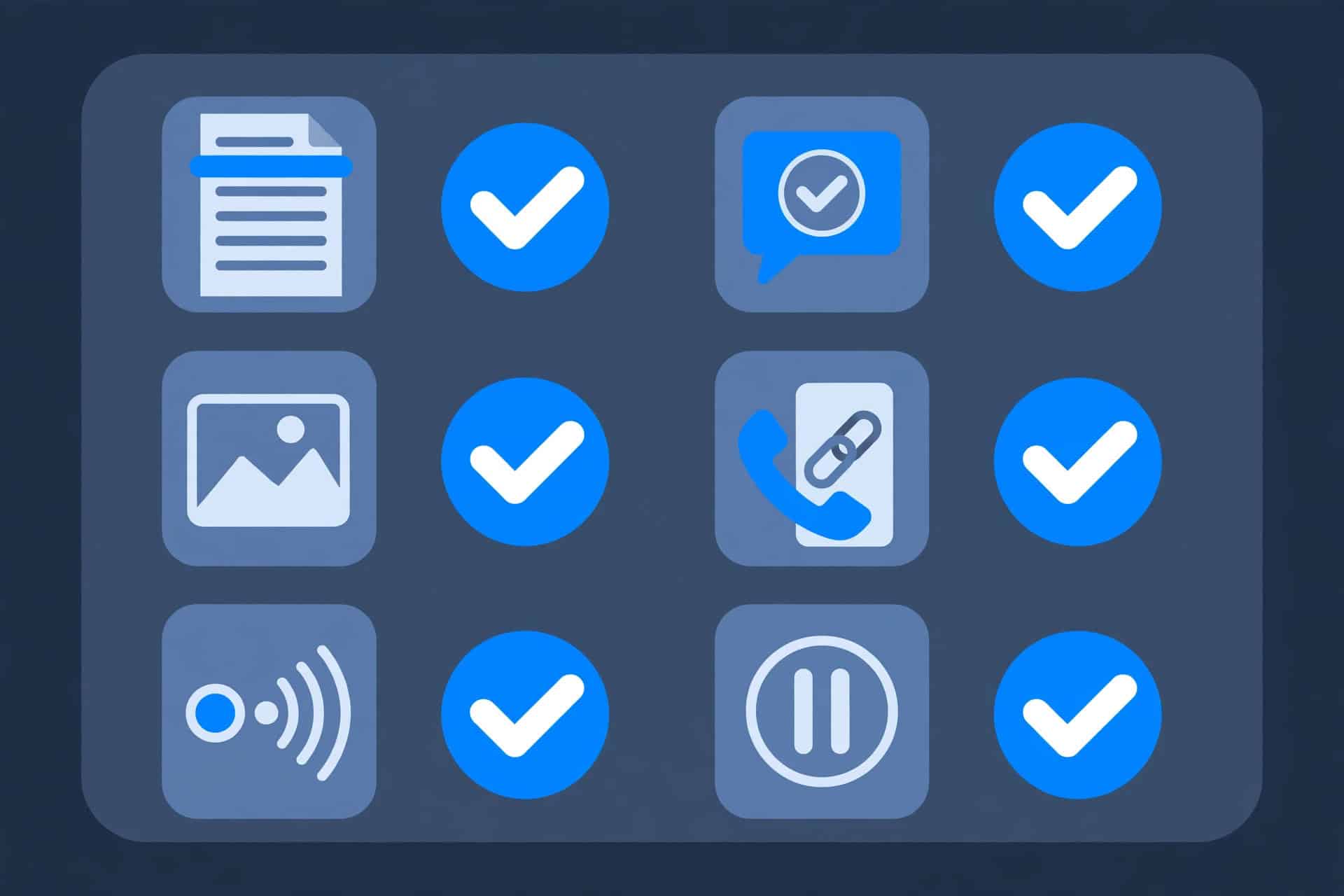
Human review is the single biggest difference between automation that looks professional and automation that looks spammy. A scheduler does not know that a price changed, a photo shows the wrong product, a link is broken, or a joke lands badly. A person does, but only if review is a real step, not a box that gets ticked without reading.
Review every post once, out loud if possible
Read each scheduled post as a reader would, not as the person who wrote it. Check the first line first, because that is what most readers see before they decide to keep reading. Check the claim in the post: is it true, is it still true, and does the image match it? Check the link: does it open, does it go to the right page, and does it make sense on a phone? Check the tone: does it sound like your business, or does it sound like a template?
Reading out loud helps, because it catches awkward phrasing and repeated words that silent reading skips. If a post sounds odd when spoken, it will read odd when published.
Use approval tiers, not one rule for everything
Not every post needs the same level of review. A simple, low-risk post about hours, a seasonal tip, or a photo from your shop can be reviewed once by the person who wrote it. A post about a price, a promotion, a health or safety claim, a customer story, or anything sensitive should be reviewed by a second person, or at least held until the owner has read it.
Write the tiers down. For example: routine posts need one review; promotional and customer posts need an owner review; sensitive, legal, or controversial posts do not get scheduled at all until the owner approves the exact wording. That list saves arguments later, because the rule was decided before the deadline, not during it.
Pause on news, complaints, and mistakes
Set simple pause rules in advance. Pause scheduled posts when a serious complaint about your business is public and unresolved, when a local or national event makes a lighthearted post feel wrong, when a product or service problem is still being fixed, or when you discover a mistake in a post that is already scheduled. In those cases, the right move is to pause, fix, and then decide whether the post still fits. Posting through a problem because the queue was already set is how a small mistake becomes a public one.
Test the whole chain before you trust it
Before you rely on a new scheduler or a new workflow, test it the way you would test any automation. For a full method, see How to Test an Automation Before It Goes Live: Errors, Fallbacks, Limits (https://flowmez.com/test-automation-before-it-goes-live/). At minimum, schedule a test post to a test account or a private audience if the platform allows it, check that the image, caption, link, and timing all appear as expected, and confirm that you can pause and delete a scheduled post. A scheduler that cannot be paused or corrected is not ready, no matter how easy it was to set up.
Replying to Comments Is the Other Half
Automation handles publishing. It does not handle relationships. An account that posts on schedule and never replies looks automated, even if every post was written by a person. An account that posts less often but replies thoughtfully looks human, even if some of its posts were scheduled.
Block two short engagement windows a day
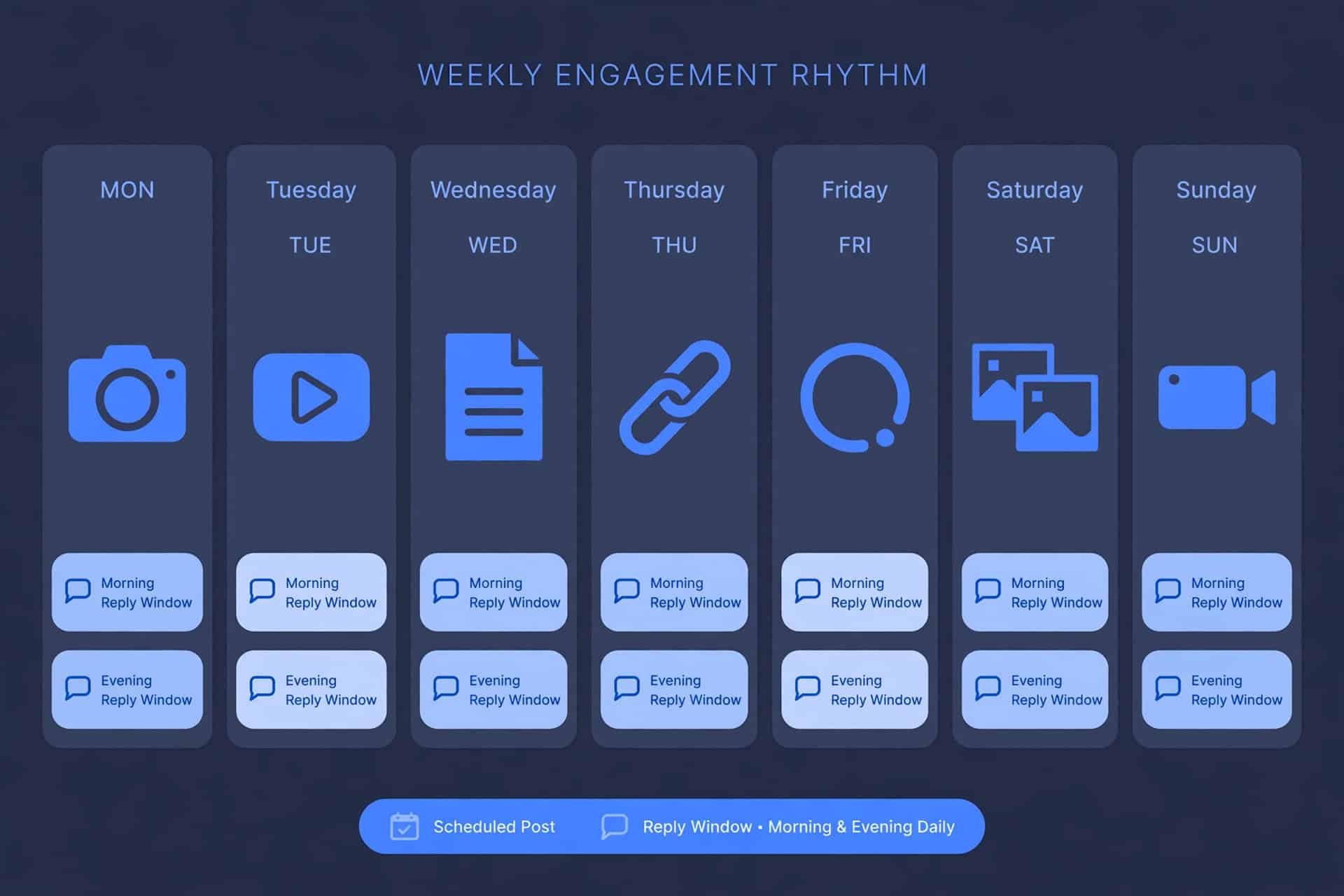
You do not need to watch social media all day. Block two short windows, for example once in the morning and once in the evening, to reply to comments, answer questions, and respond to mentions. That rhythm is enough for most small businesses, and it is honest: customers get a reply from a person, within a working day, instead of an instant automated reply that says nothing.
During those windows, reply to real questions first, then to compliments and comments, then to messages that need a handoff. A reply that answers the question is worth more than ten replies that say “Thanks!” to everyone. If a comment needs a person with more information, say so and say when that person will reply, rather than leaving the comment unanswered while you look for the answer.
Use templates for structure, not for words
Templates help, but only if they leave room for the actual conversation. A useful template is a structure: greet the person, answer the question, give the next step, offer a path to a person. A harmful template is a fixed sentence pasted under every comment, because readers can spot it after the second time they see it.
If you use a saved reply for a common question, adapt it to the comment in front of you. Use the person’s name when it is visible, refer to the detail they mentioned, and change the wording. The time saved by a template should go into the reply, not into skipping it.
Handle direct messages like support, not like marketing
Direct messages are where automation most often crosses into spam. Do not send an automatic sales message to every new follower, do not send the same promotional message to everyone who comments, and do not use automated messages to chase people who have not asked to hear from you. Those messages feel intrusive because they are intrusive, and they are also the messages most likely to be reported.
For messages that need support, the same rules as an FAQ workflow apply. For a full method, see Automate Customer Support Replies with an FAQ Workflow (A Small-Business Guide) (https://flowmez.com/automate-customer-support-replies-faq-workflow/). Acknowledge the message, answer what you can from approved information, and hand the rest to a person with the context attached. Do not promise a refund, a date, or a booking change in an automated message unless that outcome is already confirmed.
A Worked Example: One Week From One Blog Post
Take a small US business that publishes one helpful blog post a week. This week the post is about preparing a home for winter: a short checklist for pipes, filters, and outdoor faucets. Here is how that one idea becomes a week of social posts without looking like spam.
On Monday, LinkedIn gets a short story version: a customer who called after a pipe froze, what the business found, and the one check that would have caught it early. The post ends with a lesson, not a sales pitch, and links to the full checklist for readers who want it.
On Tuesday, Facebook gets a practical version for local readers: the same checklist in plain steps, with a photo of a faucet cover, and an invitation to ask a question in the comments. The wording is different, the example is local, and the call to action is a conversation, not a link.
On Wednesday, Instagram gets a visual version: a short video showing the faucet check, with the caption leading with the lesson and letting the video carry the steps. The caption is short, because the video already does the work.
On Thursday, X gets a single-point version: one tip from the checklist, written as a standalone post, with no attempt to squeeze the whole article into one short message. If the business wants a thread, each post in the thread makes one point, and the thread is spaced, not posted all at once.
On Friday, the business does not post another version of the same article. It posts something different: a photo from a real job that week, a question customers asked, or a short note about weekend hours. That break matters, because it shows the account is not just a machine repeating one article.
Across the week, the business also replies to comments in its two daily windows, pauses nothing because nothing went wrong, and keeps a note of which version got real questions. Next week, the format that got questions becomes the starting point, and the format that got silence gets changed or dropped. That is the whole system: one idea, native shapes, spacing, review, and replies.
What Never to Automate
Some automation is not just spammy. It breaks platform rules, damages trust, or creates problems that are hard to fix. Do not automate these, even if a tool offers them as a feature:
- Automated likes, follows, and unfollows. Mass following and unfollowing to grow a number, and automated liking to get attention, look fake because they are fake. They also risk account restrictions, and the followers they gain rarely become customers.
- Automated comments and replies to strangers. Posting the same comment under other people’s posts, replying automatically to keywords, or sending automated replies to mentions you have not read will annoy the people you most want to impress.
- Unsolicited direct messages. Do not message new followers with a sales pitch, do not message people who commented once, and do not send bulk messages to a list that did not ask for them.
- Engagement pods and fake engagement. Groups that agree to like and comment on each other’s posts, bought followers, and bought likes create numbers that do not match real interest. They also make your real results harder to read, because you cannot tell what worked.
- Identical posts from multiple accounts. Running the same message from several accounts for the same business, or copying a competitor’s post with small changes, reads as manipulation. If you run more than one account, each one needs its own voice and its own reason to exist.
- Sensitive, controversial, or customer-specific posts. Do not schedule a post about a sensitive topic, a legal question, a health or safety claim, or a specific customer’s situation without a human approving the exact wording. Those posts need judgment, not a queue.
- Promises you cannot keep. Do not automate a post that promises a price, a date, a discount, or availability that may change before the post goes live. If the detail can change, review the post again on the day it is scheduled, or do not schedule it far in advance.
When a tool offers one of these as a shortcut, treat that offer as a warning about the tool, not as a feature to try. The safest tools automate publishing, scheduling, and organization. They do not automate pretending to be human.
Measure What Matters, Then Adjust
Automation without measurement becomes a habit, not a system. You do not need complex analytics to run social media well, but you do need a short weekly review that asks whether the posts are doing the job they were meant to do.
Watch replies, saves, and follow-ups, not just views
Views tell you a post was shown. They do not tell you it was useful. For a small business, the signals that matter more are replies that ask a real question, saves or shares from people who want to come back to the idea, direct messages that follow a post, and conversations that turn into a booking, a visit, or a sale. If a post gets views but no replies, no saves, and no follow-ups, it may be visible but not valuable.
Keep the review simple. Once a week, look at the posts from the past week and note, for each one, the platform, the pillar, the format, and whether it got a real reply or follow-up. After a month, you will see a pattern: which pillars get questions, which formats get ignored, and which platforms are worth your time. That pattern is worth more than any generic advice about the best time to post.
Change one thing at a time
When a format stops working, change one thing, not everything. Change the opening line, or the visual, or the time of day, or the call to action, and keep the rest the same for a few posts. If you change everything at once, you will not know what helped. If you change nothing, you will keep posting a format that nobody answers.
Also watch for warning signs that your automation has gone too far: a sudden drop in reach, a warning from a platform, comments that say a post feels repetitive, or a queue full of posts that no longer match your business. Any of those is a reason to pause, review the queue, and cut the volume before you add more.
Keep the owner in the loop
Name one person who owns the social calendar, reviews the weekly results, and can pause the queue. That owner does not have to write every post, but they are responsible for making sure the queue matches the business today, not the business as it was when the posts were written. If the owner stops checking, the queue keeps running on old information, and old information is how scheduled posts become embarrassing.
Pre-Post Checklist
Use this checklist before a batch of posts is scheduled, and again for any post that is sensitive, promotional, or customer-specific:
- [ ] Each post has a clear idea in one sentence, and that idea is useful to the reader, not just to the business.
- [ ] No identical caption appears on two platforms on the same day, or twice on the same platform in a short window.
- [ ] Each post is rebuilt for its platform: the opening, length, visual, and call to action fit that place.
- [ ] The first line makes sense on its own, and the claim in the post is true and still true today.
- [ ] The image or video matches the words, and the link opens to the right page on a phone.
- [ ] Posts are spaced across days and times, with no burst of posts from the same account in a row.
- [ ] The schedule uses one approved tool, and the pause control has been found and tested.
- [ ] A human has reviewed every post, and sensitive or promotional posts have an owner review.
- [ ] Pause rules are known: news, complaints, product problems, or a mistake in a scheduled post means pause first.
- [ ] Two engagement windows are blocked for the days the posts go live, so replies come from a person.
- [ ] Direct messages will not be used for unsolicited sales pitches, and no likes, follows, comments, or engagement will be automated.
- [ ] One named owner will review the week’s replies and results, and will update or pause any post that no longer fits.
If a post cannot pass the idea, review, and spacing boxes, do not schedule it. Fix it, or leave it out. A missing post costs nothing. A spammy post costs attention you may not get back.
Common Mistakes
Copy-pasting the same caption everywhere
This is the most common mistake, and the easiest to spot. A caption written for one platform rarely fits another, and readers who follow you in more than one place see the copy immediately. Repurpose the idea. Do not copy the caption.
Scheduling a month and disappearing
Automation is not autopilot. A queue that runs for a month while nobody replies, checks, or updates it will feel abandoned, even if the posts themselves were good when written. Schedule in shorter batches, reply in your daily windows, and review the queue every week.
Posting more because the tool makes it easy
A scheduler removes the effort of publishing, but it does not remove the need for good ideas. Posting more often because you can is how a useful account becomes a noisy one. Let replies and results decide the volume, not the capacity of the tool.
Using automation to fake engagement
Automated likes, follows, comments, and messages do not build an audience. They build numbers that look good in a screenshot and mean nothing in a business. They also risk warnings and restrictions that are harder to fix than a slow start.
Letting an old queue run through a problem
A scheduled post about a sale that ended, a service that is paused, or a cheerful update during a serious local event will do more damage than a missed post. Pause the queue when something changes, fix the affected posts, and only then resume.
Writing for the algorithm instead of the reader
Posts that chase trends, pack in hashtags that do not fit, or repeat a keyword until it sounds unnatural may look optimized, but they read as spam. Write for the person who will see the post, in the language they use, about a problem they actually have.
Ignoring the platform’s own rules
Each platform has its own rules for scheduling, automation, and commercial content, and those rules change. A tactic that worked last year may be restricted this year. Check the platform’s own rules page before you connect a new tool or try a new automation, and do not rely on a tool’s marketing page as proof that a tactic is allowed.
Measuring views and calling it success
Views without replies, saves, follow-ups, or real conversations are not proof that automation is working. They are proof that a post was shown. Judge a post by whether it started a useful conversation or helped a customer take a next step, not by how many people scrolled past it.
Frequently Asked Questions
Does scheduling posts hurt reach?
Scheduling on its own does not automatically hurt reach. What hurts reach is a pattern that looks low-value: identical posts, bursts, no replies, and content that does not fit the platform. A scheduled post that is native to its platform, spaced sensibly, and followed by real replies can perform like a manual post. If reach drops suddenly after you start automating, pause and check the pattern before you blame the tool.
How many posts a week should a small business schedule?
Start with a few strong posts a week on one platform, and grow only when replies and results justify it. There is no single number that fits every business, because the right volume depends on your audience, your content, and how much time you have to reply. Consistency matters more than volume: a steady few posts a week that get answers beats a burst of daily posts that get silence.
Can I use the same idea on every platform?
Yes, if you rebuild it for each platform. Keep the idea, change the opening, the length, the visual, and the call to action. Do not copy the caption. A LinkedIn story, a Facebook practical post, an Instagram visual, and a short X post can all come from one idea and still feel native, because each one was written for the people who will read it there.
Should I automate replies to comments?
Automate the organization of replies, not the replies themselves. Use a shared inbox or a list so no comment is missed, use a structure for common answers, and then write the reply as a person, adapted to the comment in front of you. Automated replies that are pasted without reading the comment damage trust faster than a slower human reply.
What should I do if a scheduled post goes out with a mistake?
Pause the rest of the queue first, so the mistake does not repeat. Then fix or delete the post, depending on what the platform allows and how serious the mistake is. If the mistake affected a customer, reply to that customer directly and honestly, rather than quietly deleting the post and hoping nobody noticed. Then add the mistake to your review checklist, so the same error is caught before scheduling next time.
Can automation help if I only have one person running social media?
Yes, and that is exactly where it helps most, because it moves the work from daily scrambling to weekly planning. Batch a week of posts, review them, schedule them with spacing, and then use your daily engagement windows for replies. Automation saves the publishing time. It does not save the reply time, and it should not be sold as a replacement for it.
When should I stop automating and post manually?
Post manually when the topic is sensitive, when news or a customer problem makes scheduled posts feel wrong, when a post needs a timely reaction to something happening today, or when you are launching something new and want to be present for the first replies. Manual posting in those moments is not a failure of automation. It is the judgment that makes the rest of the automation trustworthy.
Conclusion
Automating social media posting without looking like spam comes down to a simple discipline: automate the publishing, not the personality. Plan around a few pillars, turn one idea into native posts instead of copies, space the posts, review every post before it goes live, reply to people as a person, and never automate likes, follows, comments, or unsolicited messages.
That discipline is what turns a scheduler from a spam machine into a useful part of the business. For the bigger picture, return to 25 AI Automation Examples for Businesses in 2026 (https://flowmez.com/ai-automation-examples/).

Flowmez publishes practical AI workflow guides, tested steps and honest tool reviews to help small businesses save time.